Lecture # 29 - UFW Firewall
Understanding Firewalls and UFW in Linux.

Firewall:
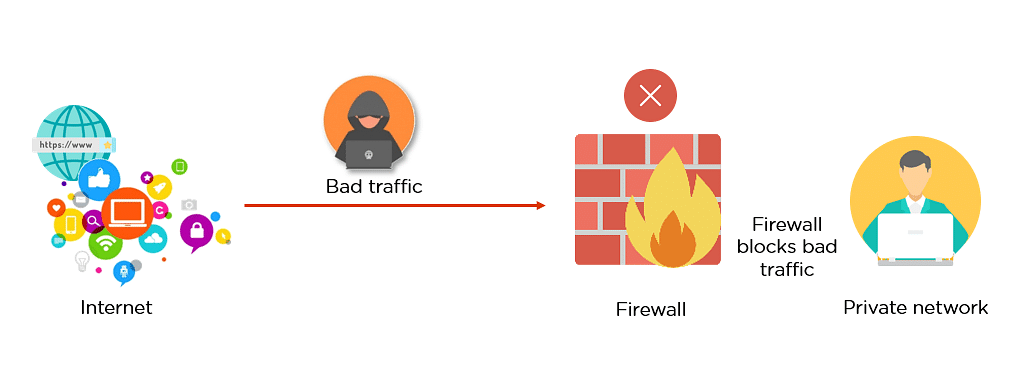
Firewall is a network security system that monitors and controls the incoming and outgoing network traffic based on predefined rules. It typically establishes a barrier between a trusted network and an untrusted network. A firewall can be a software firewall, hardware firewall, or both.
Firewalls in Linux:
The famous firewalls in linux are:
Iptables
Uncomplicated Firewall (UFW)
UFW:
UFW stands for Uncomplicated Firewall. It is a front-end-framework that provides a simple interface for using iptables utility to manage netfilter. UFW uses a command-line interface with a small number of simple commands.
Install UFW:
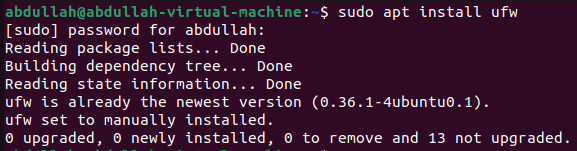
To install UFW
sudo apt install ufwis used.
Check Status:
To check the status of UFW
sudo ufw statusis used.

Enable UFW:
To enable UFW,
sudo ufw enableis used.

Disable UFW:
To disable UFW,
sudo ufw disableis used.

Check UFW Configuration File:
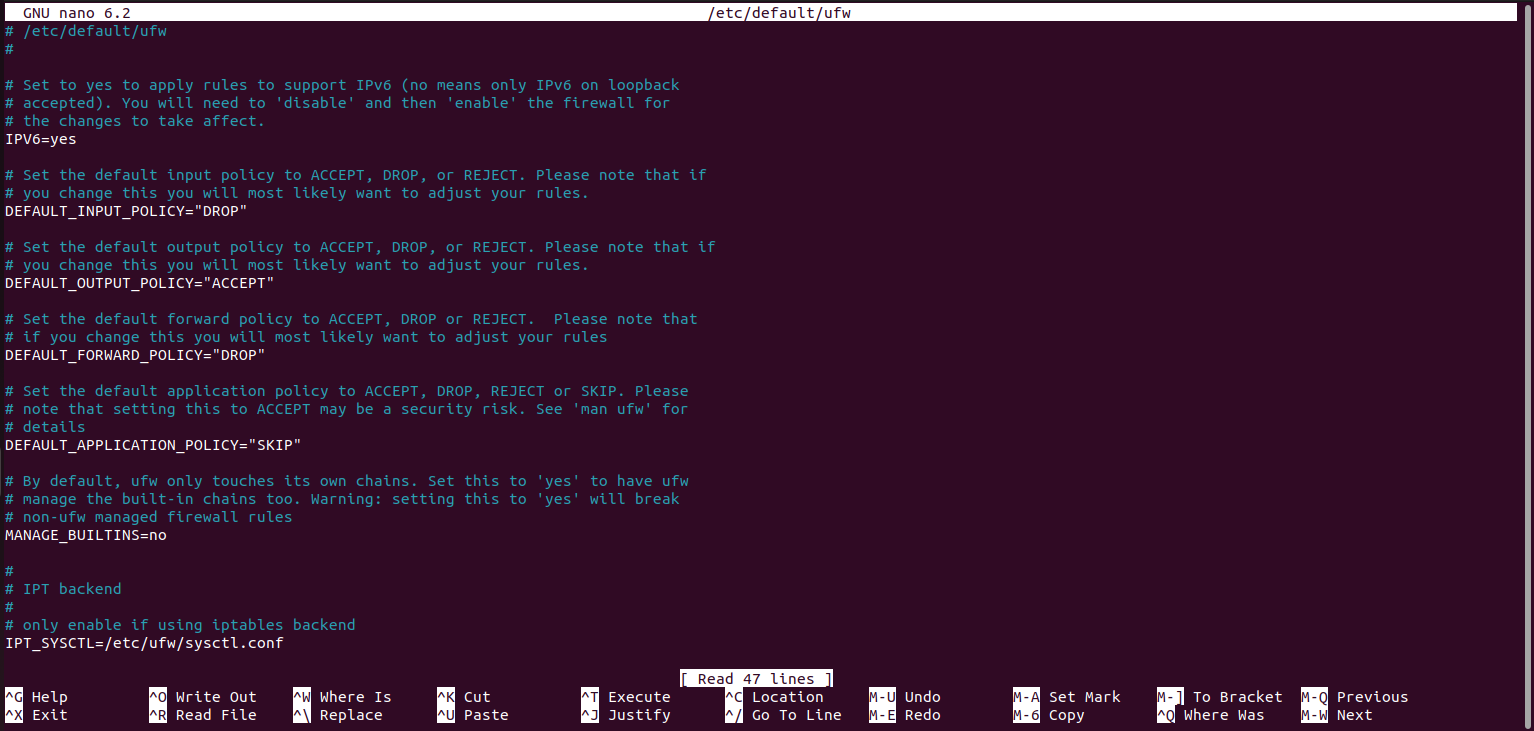
To check the configuration file of UFW,
sudo nano /etc/default/ufwis used.
Allow Incoming Traffic:
By default UFW is configured to deny all incoming traffic. To allow incoming traffic
sudo ufw default allow incomingis used.

Deny Incoming Traffic:
To deny incoming traffic
sudo ufw default deny incomingis used.

Deny Outgoing Traffic:
By default UFW is configured to allow all outgoing traffic. To deny outgoing traffic
sudo ufw default deny outgoingis used.

Allow Outgoing Traffic:
To allow outgoing traffic
sudo ufw default allow outgoingis used.

Allow SSH Connections:
By Service:
To allow incoming SSH connections by service
sudo ufw allow sshis used.

By Port Number:
To allow incoming SSH connections by port number
sudo ufw allow 22is used.
Deny SSH Connections:
By Service:
To deny incoming SSH connections by service
sudo ufw deny sshis used.

By Port Number:
To deny incoming SSH connections by port number
sudo ufw deny 22is used.
View the Application List:
To view the application list
sudo ufw app listis used.

View the Added Rules:
To view the added rules
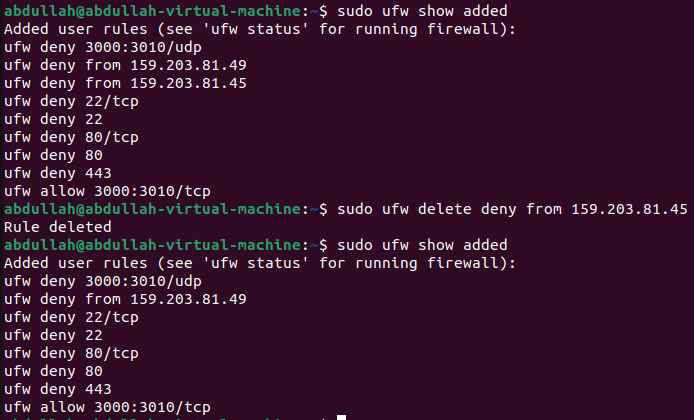
sudo ufw show addedis used.
Allow HTTP Connections:
By Service:
To enable HTTP traffic by service
sudo ufw allow httpis used.

By Port Number:
To enable HTTP traffic by port number
sudo ufw allow 80is used.
Deny HTTP Connections:
By Service:
To disable HTTP traffic by service
sudo ufw deny httpis used.

By Port Number:
To disable HTTP traffic by port number
sudo ufw deny 80is used.
Allow HTTPS Connections:
By Service:
To enable HTTPS traffic by service
sudo ufw allow httpsis used.

By Port Number:
To enable HTTPS traffic by port number
sudo ufw allow 443is used.
Deny HTTPS Connections:
By Service:
To disable HTTPS traffic by service
sudo ufw deny httpsis used.

By Port Number:
To disable HTTPS traffic by port number
sudo ufw deny 443is used.
Allow Port Ranges:
To allow port ranges
sudo ufw allow [start-port]:[end-port]/[ptotocol]is used.

Deny Port Ranges:
To deny port ranges
sudo ufw deny [start-port]:[end-port]/[protocol]is used.

Allow IP Address:
To allow IP address
sudo ufw allow from [IP-address]is used.

Deny IP Address:
To deny IP address
sudo ufw deny from [IP-address]is used.

Delete UFW Firewall Rules:
Delete by Number:
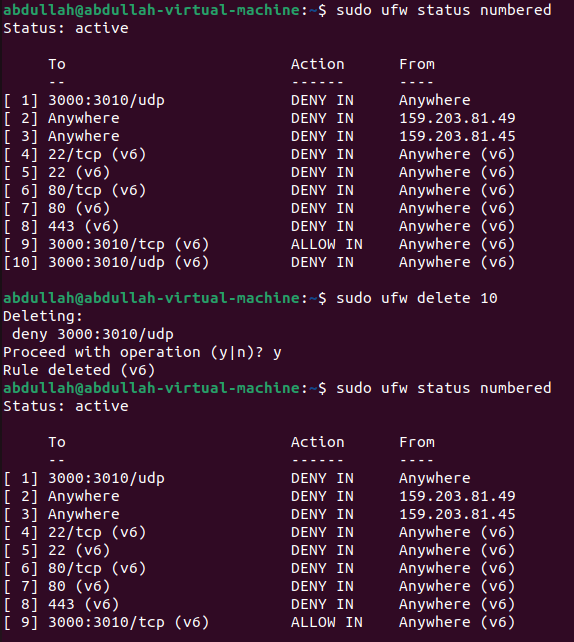
To delete a UFW rule by number, first check a numbered list of UFW rules using
sudo ufw status numbered.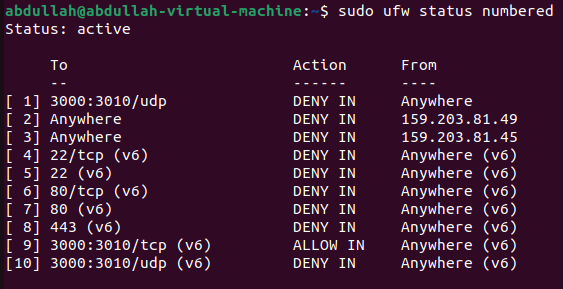
Then delete the rule number using
sudo ufw delete [rule-number].
Delete by Rule Name:
To delete a UFW rule by rule name, first list the UFW rules by using
sudo ufw show added.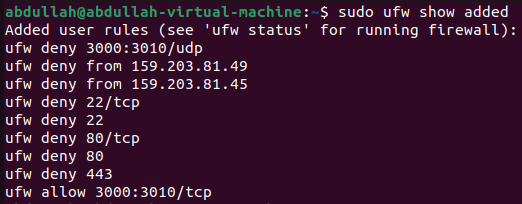
Then delete the rule name using
sudo ufw delete [rule-name].